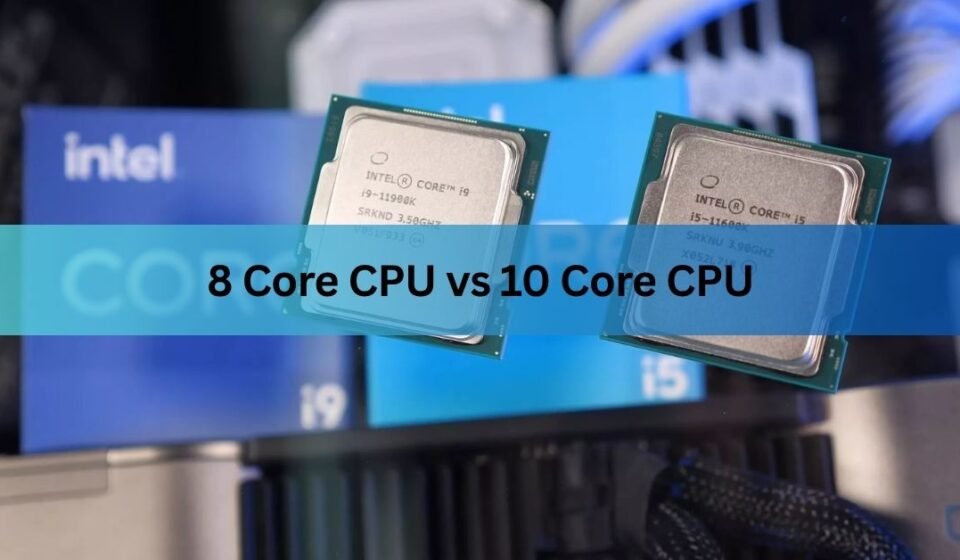

If you’re deciding between an 8 core CPU vs 10 core CPU, the short answer is simple. An 8-core processor is the best choice for most people, including gamers, students, office users, and general PC users. A 10-core processor is worth buying if you regularly edit videos, create 3D content, stream games, run virtual machines, or use demanding professional software that can take advantage of extra cores.
Core count is only one part of CPU performance. Clock speed, processor architecture, cache size, power efficiency, and cooling all play an important role. However, comparing 8-core and 10-core processors is still one of the easiest ways to understand how much processing power you’re getting for your money.
This guide explains the real differences, performance, gaming results, productivity benefits, and which processor offers the better value.
What Does a CPU Core Do?
A CPU core is an individual processing unit inside the processor. Each core can work on instructions independently, allowing multiple tasks to run at the same time.
For example:
- Opening many browser tabs
- Playing games
- Editing videos
- Running Photoshop
- Streaming on Twitch
- Compiling code
The more cores your processor has, the more work it can handle simultaneously.
Think of a restaurant kitchen.
- A single chef prepares one meal at a time.
- Eight chefs prepare eight meals.
- Ten chefs prepare even more meals without slowing down.
That’s basically how CPU cores work.
8 Core CPU vs 10 Core CPU at a Glance
| Feature | 8-Core CPU | 10-Core CPU |
| Gaming | Excellent | Excellent |
| Office Work | Excellent | Excellent |
| Video Editing | Very Good | Excellent |
| Streaming | Very Good | Excellent |
| Multitasking | Very Good | Outstanding |
| Rendering | Good | Better |
| Power Consumption | Lower | Slightly Higher |
| Heat Output | Lower | Higher |
| Price | More Affordable | More Expensive |
| Best For | Most Users | Professionals & Creators |
Although the table gives a quick overview, choosing the right processor depends on how you use your computer every day.
Why More CPU Cores Matter
Modern software is designed to spread work across multiple cores.
When you’re editing a 4K video, rendering a 3D model, or exporting large files, different cores work together to finish the task faster.
Extra cores help when you:
- Edit videos
- Encode media
- Stream while gaming
- Run virtual machines
- Compile software
- Use engineering software
- Work with AI applications
- Open many heavy programs simultaneously
For lighter workloads, those extra cores often sit idle.
Gaming Performance
Gaming is usually the biggest reason people compare processors.
The good news is that modern games don’t always need lots of cores.
Most AAA games perform extremely well on 6 to 8 fast cores.
Games usually benefit more from:
- Faster clock speeds
- Better CPU architecture
- Larger cache
- Strong graphics card
Instead of simply adding more cores.
When an 8-Core CPU Is Enough
An 8-core processor easily handles games like:
- Cyberpunk 2077
- GTA V
- Red Dead Redemption 2
- Call of Duty
- Valorant
- Fortnite
- Apex Legends
- Forza Horizon 5
Even while Discord, Chrome, Spotify, and game launchers remain open.
When a 10-Core CPU Helps
A 10-core CPU becomes useful when you’re doing several demanding tasks together.
For example:
- Gaming
- Recording gameplay
- Streaming on Twitch
- Running OBS Studio
- Voice chat
- Browser tabs
- Music apps
The extra cores keep background tasks from slowing the game.
Instead of improving maximum FPS, they often improve system responsiveness and reduce frame drops during multitasking.
Productivity Performance
Productivity software benefits much more from additional CPU cores than games do.
Examples include:
- Adobe Premiere Pro
- DaVinci Resolve
- Blender
- Autodesk Maya
- Visual Studio
- Android Studio
- Unreal Engine
- Cinema 4D
These applications divide work across many CPU threads.
As a result, a 10-core processor can complete demanding workloads noticeably faster.
Video Editing
Video editing is one area where core count makes a clear difference.
Editing involves:
- Decoding footage
- Applying effects
- Color grading
- Rendering
- Exporting
Each of these tasks can use multiple CPU cores.
If you regularly edit:
- 4K videos
- YouTube content
- Wedding videos
- Commercial footage
A 10-core processor can reduce export times and improve timeline performance.
Photo Editing
Programs like Photoshop and Lightroom don’t always use every available CPU core.
Instead, they often rely on:
- Fast individual cores
- High clock speeds
- Plenty of RAM
An 8-core processor is already powerful enough for most photographers.
Only very large batch exports benefit significantly from more cores.
Software Development
Programmers often run:
- IDEs
- Browsers
- Docker
- Databases
- Virtual machines
- Local servers
At the same time.
More cores allow these programs to run without slowing one another down.
Large software projects also compile faster on processors with additional cores.
Streaming Performance
Streaming requires your computer to handle two demanding jobs simultaneously.
First, it must run the game.
Second, it must encode the live video.
A 10-core processor gives the streaming software additional processing resources without affecting game performance as much.
For casual streaming, an 8-core processor still performs very well, especially if you’re using GPU encoding.
Multitasking
This is where 10-core processors shine.
Imagine having all of these open simultaneously:
- 40 Chrome tabs
- Microsoft Excel
- Teams meeting
- Photoshop
- Spotify
- Discord
- File downloads
- Background antivirus scan
An 8-core CPU can still manage this workload.
A 10-core processor simply has more room before performance begins to drop.
Power Consumption
More CPU cores generally consume more electricity under heavy workloads.
However, newer processor designs are much more efficient than older generations.
An 8-core CPU usually:
- Uses less power
- Produces less heat
- Requires a smaller cooler
- Costs less to operate over time
A 10-core processor often requires:
- Better airflow
- Larger CPU cooler
- Higher-capacity power supply in some systems
This isn’t a major issue for desktop users but can affect laptop battery life.
8 Core CPU vs 10 Core CPU: Which One Should You Buy?
8 Core CPU vs 10 Core CPU for Content Creators
If your work involves creating digital content, the choice between an 8-core and a 10-core processor becomes more important.
Many creative applications divide heavy workloads across multiple CPU cores. Tasks like rendering videos, exporting projects, creating animations, and compiling large software projects can finish faster when more cores are available.
A 10-core processor is a good choice if you regularly work with:
- 4K or 8K video editing
- 3D modeling and animation
- Motion graphics
- Large photo libraries
- Music production with many audio tracks
- Software development
- Virtual machines
For occasional editing or hobby projects, an 8-core processor already offers excellent performance and can easily handle most creative software.
Intel vs AMD: Core Count Isn’t Everything
When comparing processors, don’t focus only on the number of cores.
An 8-core processor from one generation can outperform a 10-core processor from an older generation because of improvements in architecture, cache, and efficiency.
For example:
- A newer Intel Core Ultra processor may outperform an older 10-core Intel chip.
- A newer AMD Ryzen processor can offer better gaming performance than an older processor with more cores.
Always compare processors from similar generations rather than looking only at the core count.
You can compare official processor specifications on the Intel website:
https://www.intel.com/content/www/us/en/products/details/processors.html
AMD also provides complete specifications for its latest processors:
https://www.amd.com/en/products/processors
Performance Per Dollar
One of the biggest questions buyers ask is whether paying more for a 10-core processor is worth it.
For many users, the answer is no.
If the extra money spent on the CPU forces you to buy:
- less RAM,
- a smaller SSD,
- or a weaker graphics card,
your overall computer may actually perform worse in real-world use.
A balanced system usually delivers a better experience than spending most of your budget on the processor alone.
When an 8-Core CPU Is the Better Value
An 8-core processor is an excellent choice if you mainly use your computer for:
- Gaming
- School or university
- Office work
- Programming
- Watching videos
- Internet browsing
- Photo editing
- Everyday multitasking
It delivers outstanding performance while costing less and using less power.
For most users, it represents the best price-to-performance ratio.
When a 10-Core CPU Is Worth Buying
A 10-core processor becomes a smart investment if you:
- Edit videos every day
- Render 3D scenes
- Stream games professionally
- Build software projects regularly
- Run multiple virtual machines
- Work with engineering software
- Handle AI or machine-learning workloads
- Frequently multitask with demanding applications
These workloads can fully utilize the additional cores, making the higher price worthwhile.
Is a 10-Core CPU More Future-Proof?
Future-proofing is often discussed when buying computer hardware.
Modern operating systems and applications continue to improve their ability to use multiple CPU cores. This means processors with higher core counts may stay relevant for demanding workloads over a longer period.
However, buying a processor solely because it has more cores is not always the best strategy.
A newer processor architecture usually provides greater long-term value than simply adding two extra cores.
Features such as:
- Faster memory support
- Larger cache
- Improved power efficiency
- Better integrated graphics
- New instruction sets
can have a greater impact than core count alone.
Things to Consider Before Buying
Before choosing between an 8-core and a 10-core processor, ask yourself a few simple questions:
- What software do I use every day?
- Will I edit videos or mostly play games?
- Am I building a new PC or upgrading an older one?
- Can my motherboard support the processor?
- Do I have enough cooling?
- Will I also upgrade my graphics card?
Answering these questions helps you spend your budget where it matters most.
Common Buying Mistakes
Many buyers focus only on the number of CPU cores.
Here are some mistakes to avoid:
- Buying more cores than your workload requires.
- Ignoring processor generation.
- Choosing an expensive CPU while buying too little RAM.
- Pairing a powerful processor with a slow SSD.
- Using inadequate cooling.
- Forgetting motherboard compatibility.
- Ignoring power supply requirements.
Avoiding these mistakes often results in a faster and more balanced computer.
Which Processor Should You Buy?
The table below summarizes which processor fits different types of users.
| User Type | Recommended Choice |
| Casual User | 8-Core CPU |
| Student | 8-Core CPU |
| Office Worker | 8-Core CPU |
| Gamer | 8-Core CPU |
| Competitive Gamer & Streamer | 10-Core CPU |
| YouTube Creator | 10-Core CPU |
| Video Editor | 10-Core CPU |
| 3D Artist | 10-Core CPU |
| Programmer | 8 or 10-Core CPU |
| Virtual Machine User | 10-Core CPU |
Quick Tip: If your budget is limited, prioritize a balanced build. Pairing an 8-core CPU with a stronger graphics card, 32 GB of RAM, and a fast NVMe SSD often delivers better real-world performance than buying a 10-core CPU and cutting back on the other components.
Frequently Asked Questions
1. Is an 8-core CPU enough for gaming in 2026?
Yes. An 8-core processor is more than capable of running modern AAA games when paired with a suitable graphics card. Most games rely more on CPU speed and GPU performance than on having more than eight cores.
2. Does a 10-core CPU improve gaming FPS?
Usually, only by a small margin. In many games, the graphics card has a much greater impact on frame rates. A 10-core processor mainly helps when gaming while streaming or running several demanding applications in the background.
3. Should I buy an older 10-core CPU or a newer 8-core CPU?
In many cases, a newer 8-core processor is the better choice. Newer CPU generations often provide higher efficiency, faster single-core performance, better memory support, and improved overall responsiveness.
4. Will a 10-core CPU last longer?
A 10-core processor may handle future multitasking and professional workloads more comfortably, but longevity also depends on architecture, platform support, and software optimization. A newer 8-core CPU can often remain competitive for many years.
5. Is upgrading from an 8-core CPU to a 10-core CPU worth it?
Upgrade only if your current processor limits your workflow. If your main activities are gaming, browsing, and office work, you may notice little difference. Users who edit videos, render 3D projects, or compile large software projects are more likely to benefit from the extra cores.
Conclusion
Choosing between an 8 core CPU vs 10 core CPU depends on how you use your computer. For gaming, office work, studying, programming, and everyday multitasking, an 8-core processor offers excellent performance and outstanding value. A 10-core processor becomes the better option for creators, professional streamers, developers, and users who regularly handle demanding workloads. Rather than focusing only on core count, compare the processor’s generation, architecture, clock speed, cache, and overall system balance to make the best long-term investment.
Recommended Articles: