
Is CPU the Same as Processor? A Simple Guide to Understanding the Difference

Yes, in most situations, CPU and processor mean the same thing. When someone talks about the processor inside a desktop computer, laptop, or server, they are almost always referring to the Central Processing Unit (CPU). The confusion starts because the…

How to See If XMP Is Enabled in CPU-Z (Step-by-Step)
Open CPU-Z, click the Memory tab, and look at the DRAM Frequency field. Double that number. If the result matches your RAM’s advertised speed, XMP is running. If the doubled value sits well below that, XMP is off. That’s the core answer. The…

How to Test the Thermal Lottery on a CPU
Two CPUs with the same model number can run at noticeably different temperatures and voltages. That difference is the thermal lottery. You test it by recording how your chip behaves at stock settings, then lowering its voltage in small steps and stress…

Which Hardware Component Interprets and Carries Out Instructions?

The CPU (central processing unit) is the hardware component that interprets and carries out instructions. It is also called the processor, or the microprocessor when it sits on a single chip. Whatever name you use, it is the part that reads each…
How to Tell CPU Speed on Windows, Mac, and Linux (and What the Numbers Mean)
To tell your CPU speed on Windows, press Ctrl + Shift + Esc to open Task Manager, click Performance, then CPU. You will see two numbers in GHz: the live “Speed” and the “Base speed.” On an Intel Mac, open the Apple menu and choose…
What Temperature Should Your CPU Be When Gaming?
A CPU running between 60°C and 80°C during a gaming session is normal and safe. Short spikes into the mid-80s while you’re loading into a match or running a cutscene aren’t a concern either. The number to watch is a sustained reading…
Is 80°C Hot for a CPU? When It’s Normal and When to Worry
80°C is warm for a CPU, but it isn’t too hot when the chip is working hard. Current Intel and AMD processors don’t start slowing themselves down until they reach their limit, which sits between 89°C and 110°C depending on the model. That…

The Best CPUs With Integrated Graphics Right Now
The AMD Ryzen 7 8700G is the best CPU with integrated graphics for a desktop PC you can actually buy today, thanks to its Radeon 780M GPU. If you’re shopping for a laptop instead, the AMD Ryzen AI Max+ 395 (Strix Halo) and Intel’s Panther…
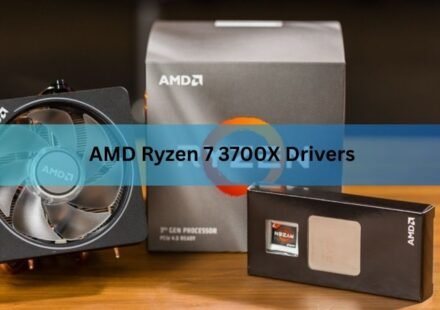
AMD Ryzen 7 3700X Drivers: What You Actually Need to Install
The Ryzen 7 3700X does not have a driver of its own. What you install is the AMD chipset driver for your motherboard, and the current version is 8.08.12.551, released on 14 August 2026. One 79 MB file covers every AM4 board from A320 through X570. You…

What Temperature Should My CPU Be When Gaming?
Most desktop CPUs run between 60°C and 80°C while gaming. Anything under 85°C is fine and needs no action at all. Gaming laptops run hotter, usually 80°C to 95°C, and that is normal for them too. There is no single safe number for every machine, because…