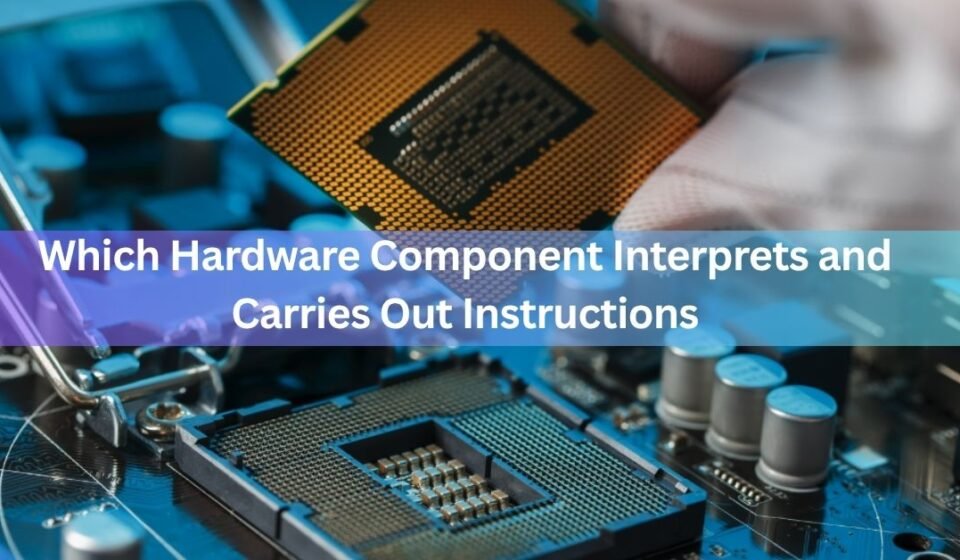

The CPU (central processing unit) is the hardware component that interprets and carries out instructions. It is also called the processor, or the microprocessor when it sits on a single chip. Whatever name you use, it is the part that reads each instruction, works out what it means, and then does it. That is the direct answer. The rest of this article explains how a small chip manages to run everything from a text message to a video game.
Quick answer: the CPU (the processor). It fetches an instruction, decodes it, and executes it, over and over, billions of times a second.
The short answer: the CPU
Every computer, phone, tablet, and smart TV has a CPU. People call it the brain of the computer, and the name fits. Your programs are just long lists of very simple instructions. On their own, those lists do nothing. The CPU is the part that picks up each instruction in turn and acts on it.
When you tap an app icon, click a button, or type a letter, that action becomes a set of instructions. The CPU reads them one by one and turns them into real results on your screen. No other single part does this job. Memory holds the instructions, storage keeps them safe when the power is off, and the screen shows the output, but the CPU is where the actual thinking happens.
The word “processor” is a good hint. To process something means to work on it and change it into something useful. That is exactly what this chip does with instructions and data all day long.
What does “interpret and carry out instructions” mean?
An instruction is one small command. It is far smaller than a full sentence like “open my email.” A single instruction is more like “add these two numbers,” “move this value from here to there,” or “check if this number is bigger than that one.” A program is thousands or millions of these tiny commands lined up in order.
To interpret an instruction means to figure out what it is asking for. The CPU reads a pattern of ones and zeros and works out which action that pattern stands for. To carry it out, sometimes called executing it, means actually doing the action: performing the math, moving the data, or making the comparison.
Here is a simple way to picture it. Think of a chef reading a recipe card. Interpreting is reading the card and understanding “crack two eggs.” Carrying it out is picking up the eggs and cracking them. The CPU does both, one card at a time, with no gap you could ever notice, because it works at an incredible speed.
Instructions and data are different things. An instruction tells the CPU what to do. Data is the raw material it does it to, like the actual numbers being added.
How the CPU reads an instruction: the fetch-decode-execute cycle
The CPU does its job by repeating one simple loop. This loop has three steps and is called the fetch-decode-execute cycle. Some people call it the instruction cycle. It runs nonstop while your device is on, and it is the heart of how any computer works.
Step 1: Fetch
First the CPU fetches the next instruction. It goes to main memory, also called RAM, and pulls out the instruction it needs. The CPU keeps track of which instruction comes next using a small counter, so it never loses its place. Once it has the instruction in hand, it moves the counter forward to point at the one after it.
Step 2: Decode
Next the CPU decodes the instruction. The instruction arrives as a pattern of binary code, just ones and zeros. Decoding is the step where the CPU translates that pattern into a clear action. It works out what needs to be done and which pieces of data are involved. This is the “interpret” part of the answer to our keyword.
Step 3: Execute
Finally the CPU executes the instruction. This is where the action actually happens. The CPU might add two numbers, compare two values, or move data from one spot to another. If there is a result, it gets stored so the next instruction can use it. This is the “carry out” part.
Then the whole thing starts again with the next fetch. Fetch, decode, execute. Fetch, decode, execute. A modern CPU runs through this loop billions of times every second, which is why your device feels instant even though each single step is tiny.
- Fetch: get the next instruction from memory.
- Decode: work out what the instruction means.
- Execute: perform the action and store any result.
A worked example: adding two numbers
Say a program needs to add 5 and 3. That one small job is not a single instruction to the CPU. It breaks into several. First the CPU fetches an instruction that loads the number 5 into a slot inside it. It decodes that instruction, sees it is a load, and carries it out. Then it fetches the next instruction, which loads the number 3 into another slot, and does the same.
Now comes the add. The CPU fetches an instruction that says “add the two values you just loaded.” It decodes this and recognises it as an addition. To execute it, the control unit tells the ALU to add the two numbers, the ALU produces 8, and that result gets stored back in a slot. A final instruction might move the 8 out to memory so the rest of the program can use it.
So a job that feels like one action to you, adding two numbers, is really four or five tiny fetch-decode-execute loops. Now multiply that by everything happening on your screen at once and you can see why the CPU runs the cycle billions of times a second. Each step is trivial. The power comes from doing an enormous number of trivial steps very, very fast.
Why it all happens in binary
Instructions and data both reach the CPU as binary, which means long strings of ones and zeros. There is a good reason for this. A computer chip is built from billions of tiny switches, and a switch has only two states: on or off. On stands for one, off stands for zero. Everything the CPU touches, every instruction and every number, has to be written in this on-off language so the switches can hold it.
The raw binary form of an instruction is called machine code. It is the only language the CPU truly understands. When you write or run a program in a normal programming language, other software translates it down into machine code first. By the time the CPU sees it, it is just patterns of ones and zeros, and the decode step is what turns each pattern back into a known action.
The parts inside the CPU that do the work
The CPU is not one solid block. Inside it are a few smaller units that each handle part of the job. You do not need to be an engineer to understand them, and knowing them makes the whole cycle click into place.
The control unit
The control unit is the manager. It does not do the math itself. Instead it directs traffic. It fetches each instruction, decodes it, and then sends signals to the other parts telling them what to do and when. Think of it as a conductor leading an orchestra, keeping every section in time. Without it, the other parts would just sit there with no idea what to do next.
The arithmetic logic unit (ALU)
The arithmetic logic unit, or ALU, is the calculator. It handles all the math, like adding, subtracting, and multiplying, and all the logic, like checking whether one value is greater than, less than, or equal to another. When the control unit says “add these,” the ALU is the part that actually does the adding. Almost every useful thing a computer does comes down to arithmetic and logic, so the ALU is busy constantly.
Registers
Registers are tiny storage slots built right into the CPU. They hold the exact pieces of data the CPU is working on this very instant, plus the instruction being carried out and the counter that tracks which instruction is next. Registers are the fastest storage in the whole computer because they sit closest to the action. They are small on purpose, holding just a handful of values at a time.
Cache
Cache is a small pool of very fast memory inside or right next to the CPU. It keeps copies of data and instructions the CPU is likely to need again soon. Fetching from cache is much quicker than fetching all the way from main memory, so a good cache keeps the cycle moving without waiting around. It sits between the speedy registers and the slower main memory.
Simple map: the control unit gives orders, the ALU does the math, registers hold what’s in use right now, and cache keeps handy data close by.
These parts work together on every single instruction. The control unit fetches and decodes, then tells the ALU what to calculate, the ALU works on data held in the registers, and the result goes back into a register or out to memory. That teamwork, repeated endlessly, is what running a program really looks like up close.
Why it isn’t memory, storage, or the GPU
This question trips a lot of people up because several parts sound like they might be the answer. Here is why the CPU is the one that interprets and carries out instructions, and what the others actually do.
| Component | What it actually does |
| CPU (processor) | Interprets and carries out instructions. This is the answer. |
| RAM (memory) | Holds instructions and data while the computer is on, so the CPU can grab them fast. It stores, it does not execute. |
| Storage (SSD/hard drive) | Keeps files and programs safe even when the power is off. Slower than RAM, and it does not run instructions either. |
| GPU (graphics) | A specialist processor for images and video. It runs its own instructions in parallel but handles graphics work, not the general job of running the whole system. |
| Motherboard | The board that connects everything and lets the parts talk to each other. It carries signals, it does not process them. |
The short version: memory and storage hold instructions, and the motherboard moves them around, but only the CPU reads them and acts on them. The GPU is a processor too, yet it is built for a narrow set of jobs. The CPU is the general-purpose worker that runs the operating system and coordinates the rest of the machine.
What makes one CPU faster than another
Once you know the CPU runs a fetch-decode-execute loop, it is easy to see what speeds it up. A few things matter most, and they show up on any spec sheet when you buy a computer or phone.
Clock speed
Clock speed, measured in gigahertz (GHz), is roughly how many cycles the CPU can run per second. A chip at 3.5 GHz ticks about 3.5 billion times a second. Higher clock speed usually means faster work, though it is not the only factor.
Cores
A core is a full CPU built into the chip. A modern processor often has several cores, so it can run more than one instruction stream at the same time. Four, six, and eight cores are common, and high-end chips have many more. More cores help most when you run several programs at once or use software built to split its work.
Cache size
A bigger, smarter cache means the CPU waits less for data, so more of its cycles do useful work instead of sitting idle. Two chips with the same clock speed can perform differently because of their cache.
Putting it together with a real example
Imagine you press a key while typing a message. That keypress becomes data the CPU has to handle. The control unit fetches the instructions that check which key you pressed, decodes them, and executes them. The ALU compares values to identify the letter. Registers hold the letter while the CPU decides what to do with it. Then more instructions run to place that letter on the screen and update the app.
All of this finishes before your finger has fully lifted off the key. The speed is why a computer feels alive and responsive. Behind that smooth feeling is nothing more than the same three-step loop running at a scale no person could ever match. Understanding that loop is the key to understanding what a CPU is and why it sits at the centre of every device.
If you ever want to see this in action, you can watch how hard your processor is working. On Windows you can open Task Manager and check the CPU tab, and on a Mac you can open Activity Monitor. Both show the load in real time, which makes the abstract idea of “running instructions” feel concrete. For a deeper, plain-language reference on how processors work, chipmaker
Intel keeps an explainer on what a CPU is and does, and for the underlying design idea, the von Neumann architecture page describes the single-memory model most computers still use today.
Frequently asked questions
Is the CPU the same as the processor?
Yes. CPU stands for central processing unit, and processor is just a shorter name for the same chip. Microprocessor is another term for it when the whole CPU sits on one small chip, which is the case in modern devices.
Does the CPU or RAM run instructions?
The CPU runs instructions. RAM only holds instructions and data while the computer is on, so the CPU can reach them quickly. RAM stores, the CPU executes. They work as a team but do different jobs.
What are the three steps a CPU takes for each instruction?
Fetch, decode, and execute. The CPU fetches the instruction from memory, decodes it to work out what it means, then executes it by performing the action. This loop is called the fetch-decode-execute cycle and repeats constantly.
Which part of the CPU does the calculations?
The arithmetic logic unit, or ALU. It handles all the math like adding and subtracting, and the logic like comparing two values. The control unit tells the ALU what to do, and the ALU does the actual work.
Is a GPU also a processor?
Yes, but a specialist one. A GPU runs its own instructions and is built to handle images, video, and other tasks that split into many small pieces. The CPU is the general-purpose processor that runs the whole system and coordinates everything.
Conclusion
The hardware component that interprets and carries out instructions is the CPU, the central processing unit or processor. It works by repeating a simple loop: fetch an instruction, decode what it means, then execute it, billions of times a second. Inside, the control unit directs the work, the ALU does the math, and registers and cache hold what is needed close by. Get that picture and you understand what powers every device you own.
Recommended Articles:
What Temperature Should Your CPU Be When Gaming?
Is 80°C Hot for a CPU? When It’s Normal and When to Worry
The Best CPUs With Integrated Graphics Right Now
How to Tell CPU Speed on Windows, Mac, and Linux (and What the Numbers Mean)