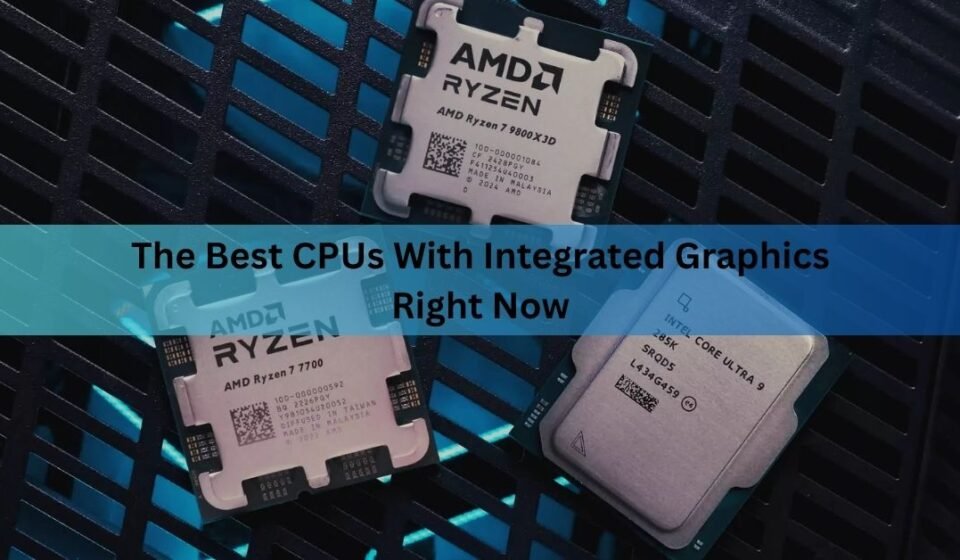

The AMD Ryzen 7 8700G is the best CPU with integrated graphics for a desktop PC you can actually buy today, thanks to its Radeon 780M GPU. If you’re shopping for a laptop instead, the AMD Ryzen AI Max+ 395 (Strix Halo) and Intel’s Panther Lake chips with Arc B390 graphics push integrated graphics into territory that used to require a separate video card.
None of this means every chip with a GPU built in is worth buying for gaming. Most desktop and laptop processors ship with basic graphics meant only to show a desktop and play video. Only a small group of chips, generally called APUs on the AMD side, are built with graphics strong enough to run real games. Here’s how the current field breaks down, and which one fits your build.
“Best” depends heavily on what you’re building. A cramped mini-ITX desktop with no room for a graphics card needs a different chip than a workstation laptop meant to double as a gaming machine on the road, and a handheld gaming PC runs on a different chip family altogether. The sections below split the recommendations by use case so you can match the chip to the actual build instead of chasing a single number.
What makes integrated graphics good or bad?
The GPU built into a CPU is good when it has enough compute units and fast enough memory to keep them fed. Compute units are the small processing blocks that do the actual rendering work, so more of them, running at a higher clock speed, means more frames per second.
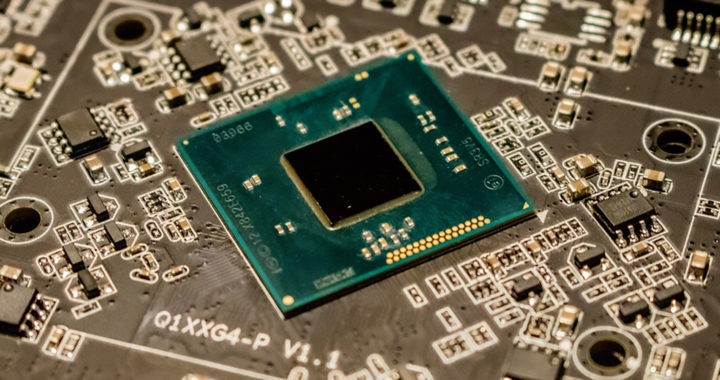
Memory is the bigger limit in practice. A dedicated graphics card has its own fast VRAM sitting right next to the GPU chip. Integrated graphics borrow regular system RAM instead, and that RAM has to serve the CPU too. This is why the RAM speed and channel count in your system change gaming performance on an APU far more than they would with a graphics card installed. Dual-channel DDR5-6000 or faster is close to mandatory if you want an APU to hit the frame rates reviewers post in their charts.
Best desktop CPU with integrated graphics: Ryzen 7 8700G
The Ryzen 7 8700G pairs 8 Zen 4 cores and 16 threads with a Radeon 780M GPU built on AMD’s RDNA 3 architecture. That GPU has 12 compute units running up to 2.9 GHz, which is roughly double the graphics muscle of the Ryzen 5000G chips it replaced.
In real testing, the 780M plays Counter-Strike 2 well past 70 FPS at 1080p on low to medium settings, and handles Valorant above 100 FPS without much trouble. Heavier, more demanding games run too, just at 1080p low settings and with expectations kept modest. Think 30 to 45 FPS in newer AAA titles rather than anything close to console quality.
Outside of games, the 8700G is a genuinely strong 8-core CPU on its own. It handles 4K video editing, code compilation, and everyday multitasking without complaint, and its price sits well below buying a separate CPU and entry GPU. AMD’s official Ryzen 7 8700G product page lists the full spec sheet if you want to check compatibility before buying.
If the 8700G is out of budget, the Ryzen 5 8600G drops to 6 cores and a smaller 8-compute-unit version of the same 780M graphics. It costs noticeably less and is still a big step up from anything AMD or Intel sold on the desktop before 2024. Either chip drops straight into an AM5 motherboard, the same socket used by AMD’s full Ryzen 9000 lineup, so you’re not stuck on a dead-end platform if you add a graphics card and want more CPU power down the road.
A CPU alone doesn’t guarantee this performance. Pair an 8700G with slow single-channel RAM and you’ll lose a large chunk of the frame rate reviewers measured. Budget for fast dual-channel memory before you budget for anything else.
Best laptop and mini PC integrated graphics: Ryzen AI Max+ 395
Desktop APUs top out around 12 compute units. AMD’s Ryzen AI Max+ 395, built on the Strix Halo platform, jumps to 40 RDNA 3.5 compute units, more than three times the graphics hardware in the 8700G, alongside 16 Zen 5 CPU cores.
The bigger change is memory. Strix Halo uses a 256-bit LPDDR5x interface that reaches roughly 256 GB/s of bandwidth, several times what a typical dual-channel desktop setup provides. That bandwidth is what lets a chip this size actually use all 40 compute units instead of sitting idle waiting on data.

The results show up directly in games. Independent testing on a mini PC running the Ryzen AI Max+ 395 recorded Counter-Strike 2 averaging above 250 FPS at high settings, Battlefield 6 at 86 FPS average on high preset, and Cyberpunk 2077 running smoothly at settings that would challenge a typical laptop GPU. AMD’s own comparisons put the chip within reach of a GeForce RTX 4070 mobile GPU in some titles, and independent reviewers have generally supported that claim in lighter, well-optimized games, even if the margin narrows in the heaviest titles.
This chip shows up in premium mini PCs and workstation laptops rather than budget builds. Expect to pay laptop-flagship prices, and expect a design built around real cooling, since the flagship 395 draws up to 140 W under load. It also supports up to 128 GB of unified memory, which matters if you plan to run large AI models locally as well as game.
Best Intel integrated graphics: Panther Lake with Arc graphics
Intel spent several generations behind AMD on integrated graphics, and Lunar Lake’s Arc 140V chip mostly closed that gap rather than beating it outright. Panther Lake, Intel’s newer chip lineup, changes the picture at the top end.
The flagship configuration, paired with Arc B390 graphics, recorded 94 FPS average in Horizon Zero Dawn at settings where AMD’s Radeon 890M managed 77 FPS and Intel’s own previous-generation Arc 140V trailed at 37 FPS. In Cyberpunk 2077 at 1080p medium settings, the same chip averaged 64 FPS, a genuinely playable result without any dedicated GPU.
The catch sits in Panther Lake’s lower-tier SKUs. The entry-level Arc B370 configuration, found in cheaper Panther Lake laptops, actually trails the outgoing Arc 140V in several synthetic tests, even though it wins some individual game benchmarks. The lesson is simple: with Panther Lake, the specific SKU matters more than the generation name on the box. Look for B390 graphics specifically if gaming performance is the goal, not just any “Panther Lake” or “Core Ultra” label.
Intel’s Arc graphics also carry a real advantage in media work. Hardware encoding for AV1 and other modern codecs is fast and efficient, which matters if you stream, edit video, or do any kind of content creation alongside light gaming.
Best integrated graphics for handheld gaming PCs: Ryzen Z2 Extreme
Handheld gaming PCs run on a different chip family entirely, even though the underlying graphics tech overlaps with desktop and laptop APUs. AMD’s Ryzen Z2 Extreme, built on the same Strix Point silicon as the Radeon 890M laptop chips, currently powers most of the higher-end handhelds on shelves, including newer Asus ROG Ally and Lenovo Legion Go models.
The Z2 Extreme combines three Zen 5 cores and five smaller Zen 5c cores with 16 RDNA 3.5 compute units, running in a tight 15 W to 35 W power window that a handheld’s small battery and cooling can actually sustain. That’s a meaningful jump over the original Steam Deck’s four-year-old Van Gogh chip, which uses just 8 older RDNA 2 compute units and a much slower memory setup.
Confusingly, AMD sells three very different chips all wearing the Z2 name. The base Ryzen Z2 uses the older Hawk Point design with 12 RDNA 3 compute units, and the budget Ryzen Z2 Go reuses an even older Rembrandt-based design similar to the Steam Deck’s chip. If you’re comparing handhelds, check which specific Z2 variant is inside, since the name alone tells you almost nothing about actual gaming performance. The Z2 Extreme is the one worth seeking out if frame rate is the priority.
How do AMD and Intel integrated graphics compare?
| Chip | GPU | Compute units | Best for | Typical use case |
| Ryzen 7 8700G | Radeon 780M | 12 | Budget desktop gaming | DIY desktop, HTPC, SFF build |
| Ryzen 5 8600G | Radeon 760M | 8 | Entry desktop builds | Office PC with light gaming |
| Ryzen AI Max+ 395 | Radeon 8060S | 40 | High-end mobile/mini PC gaming | Workstation laptop, premium mini PC |
| Panther Lake (B390 config) | Arc B390 | Highest Xe3 tier | Premium Intel laptops | Thin gaming laptop, content creation |
| Lunar Lake | Arc 140V | 8 Xe cores | Efficient thin-and-light laptops | Ultrabook with occasional gaming |
Across the board, AMD still leads pure gaming frame rates at the high end, mainly because of Strix Halo’s memory bandwidth advantage. Intel’s newest Panther Lake flagship configuration closes most of that gap and wins some individual titles, while its media encoding and driver stability in creative apps remain a genuine strength. For a plain desktop build on a normal budget, AMD’s RDNA 3 based 780M is still the only mainstream option with enough compute units to matter.
Do you actually need integrated graphics for gaming?
Only if a dedicated graphics card isn’t in the plan at all. A $200 to $250 entry-level discrete GPU will outperform every chip listed here, usually by a wide margin, in any game more demanding than an esports title. Integrated graphics make the most sense in three situations: a small form factor build where a graphics card physically won’t fit, a secondary or office PC where light gaming is a bonus rather than the point, and a temporary build while you wait out GPU pricing or availability.

If your goal is 1440p or higher at high settings in current AAA games, none of the chips in this guide will get you there reliably. They’re built for 1080p, and mostly for esports titles or older, less demanding games at that resolution.
What about non-gaming tasks?
Video playback, web browsing, office work, and most video calls run fine on essentially any integrated graphics from the last several years, including basic Intel UHD graphics with no dedicated compute units to speak of. Where the newer chips actually matter outside gaming is video encoding and decoding.
Both AMD’s RDNA 3 and RDNA 3.5 based chips and Intel’s Arc-based Panther Lake and Lunar Lake chips include hardware AV1 encoding, which speeds up exporting and streaming video substantially compared to older integrated graphics that lack it. If you edit video or stream regularly but don’t need heavy gaming performance, either platform’s newer chips will serve you well, and the choice comes down more to CPU core count and price than the GPU itself.
Building around an APU: what else matters
Memory speed decides more of your real-world frame rate than the CPU model number does. On desktop AM5 platforms, aim for DDR5-6000 or faster in a dual-channel kit, since integrated graphics pull directly from system RAM and starve quickly on slower or single-channel memory.
Cooling matters more than people expect too. These chips run both a full CPU and a capable GPU on the same silicon, generating meaningfully more heat than a CPU-only chip at similar power draw. A cooler rated well above the stock TDP keeps clocks from throttling during longer gaming sessions.
Finally, check driver support before buying. AMD updates its Ryzen Master utility and Adrenalin software regularly for desktop APUs, and Intel does the same for Arc graphics drivers. Recent driver releases have meaningfully improved frame rates and fixed stability issues in specific games, so a chip’s out-of-box benchmarks aren’t always its final word.
How to check if a CPU actually has strong integrated graphics
Model numbers and marketing names hide real differences, so it helps to check a few specifics before buying.
1. Look up the GPU model, not just the CPU name. “Radeon Graphics” or “Intel Graphics” alone tells you nothing. You want a named GPU such as Radeon 780M, Radeon 8060S, or Arc B390, since those carry real compute unit counts.
2. Check the compute unit or Xe core count. More units generally means more gaming performance within the same architecture generation, though clock speed and memory bandwidth both change the final result.
3. Confirm the memory support. A chip capable of DDR5-6000 or LPDDR5x at high speeds will let its GPU perform close to its rated benchmarks. A chip capped at slower memory will underperform its specs regardless of compute unit count.
4. Match the TDP to your case and cooling. Higher-performing integrated graphics draw more power and produce more heat. A 65 W desktop chip needs a cooler rated well above stock, and a laptop chip’s real-world performance depends heavily on how much power the specific laptop model allows it to draw.
5. Verify the platform is still current. AMD’s desktop AM5 socket supports the newest APUs, while older AM4 boards are limited to older, weaker integrated graphics. Buying into the wrong platform locks you out of future upgrades.
Frequently Asked Questions
Is the Ryzen 7 8700G good enough for gaming without a graphics card?
Yes, for esports titles and older or less demanding games at 1080p low to medium settings. It plays CS2 and Valorant well past 60 FPS, though newer AAA titles need lower settings and modest expectations.
Do I need special RAM for a CPU with integrated graphics?
Yes. Fast dual-channel memory, ideally DDR5-6000 or higher on desktop, has a much bigger effect on integrated graphics performance than it does when a dedicated GPU is installed.
Is AMD or Intel better for integrated graphics right now?
AMD generally leads in raw gaming frame rates, especially with Strix Halo’s Radeon 8060S. Intel’s Panther Lake with Arc B390 graphics closes much of that gap and offers strong video encoding performance.
Can integrated graphics replace a dedicated GPU for 1440p gaming?
No. Every chip in this guide is built around 1080p performance. A $200 to $250 dedicated graphics card will still outperform the best integrated graphics available in demanding games at higher resolutions.
Are older APUs like the Ryzen 5 5600G still worth buying?
They still handle light esports gaming and everyday tasks well, but the Radeon 780M in the Ryzen 8000G series roughly doubles the graphics compute of the older Vega based chips, so a newer APU is worth the extra cost if gaming matters at all.
Conclusion
For a desktop build without a dedicated graphics card, the Ryzen 7 8700G and its Radeon 780M graphics remain the strongest, most available option. For a laptop or small form factor system where budget stretches further, the Ryzen AI Max+ 395 and Panther Lake’s Arc B390 configuration deliver frame rates that genuinely rival budget dedicated GPUs. Match fast memory and solid cooling to whichever chip you pick, and keep your resolution target at 1080p for the best results.
Recommended Articles:
AMD Ryzen 7 3700X Drivers: What You Actually Need to Install
What Temperature Should My CPU Be When Gaming?
AMD vs Intel for Gaming: Which CPU Should You Actually Buy?
What Is a Normal CPU Temperature? Idle, Gaming, and Load Ranges