
The best CPUs for RPCS3 are modern chips with eight or more threads and strong single-core speed, like the Ryzen 7 9800X3D, Ryzen 9 7950X, or Core i9-14900K. These sit at the top S-tier and run almost every PS3 game at full speed. If you own a recent Ryzen 5, Core i5, or better, you are already in good shape. Older four-thread or pre-Ryzen chips are where trouble starts.
PS3 emulation is unusual. Most PC games lean on the graphics card, but RPCS3 leans hard on the processor. That single fact shapes the entire tier list, so it helps to understand why before you spend money.
Why the CPU matters more than the GPU
Your CPU is the part that decides whether a game runs well in RPCS3. The PlayStation 3 used a chip called the Cell Broadband Engine, a strange design that paired one main PowerPC core with several small helper cores called SPUs (Synergistic Processing Units). Those SPUs handled physics, audio, animation, and other heavy work, all at once.
No modern PC has hardware shaped like that. So RPCS3 has to translate the PS3’s instructions into code your CPU can run, on the fly, every frame. That translation is expensive, and it falls almost entirely on the processor. A faster CPU does the translation quicker, which means smoother frame rates and fewer stutters.
A weak GPU limits how high you can push resolution. A weak CPU limits whether the game runs at full speed at all.
Your graphics card still matters, mostly for pushing games past their original resolution to 1440p or 4K. But if you have to choose where the money goes, the CPU comes first every time.
It helps to picture what the emulator is doing. RPCS3 takes the SPU code from a PS3 game and recompiles it into native PC instructions using two backends, LLVM and a lighter tool called ASMJIT. The cleaner that translated code is, the less CPU time each emulated cycle eats. For years, SPU work was the single biggest drain on the processor, which is exactly why single-core speed and the right instruction sets carry so much weight in the rankings.
The RPCS3 CPU tier list at a glance
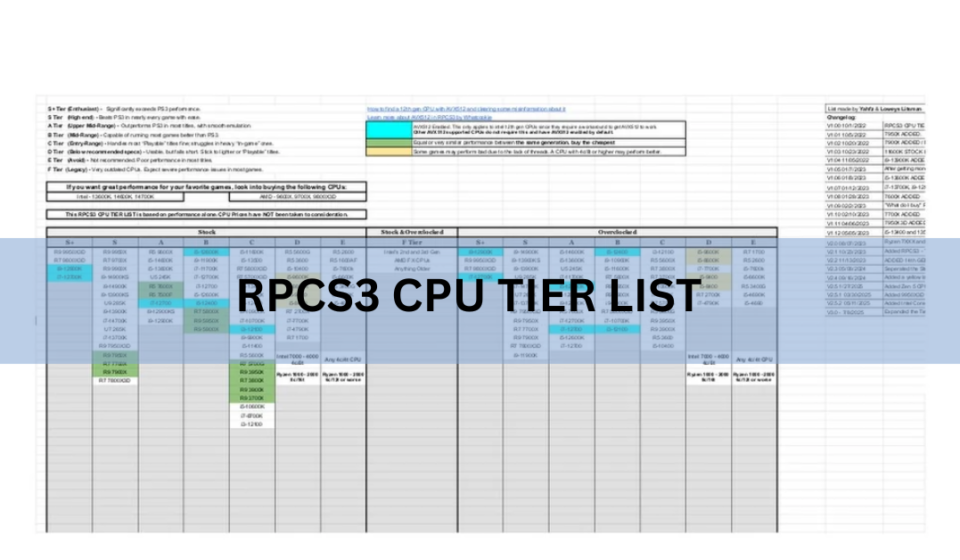
Here is where common processors land for PS3 emulation. The tiers reflect raw emulation performance only, not price or value. A cheaper chip can still be a smart buy; it just may not top the chart.
| Tier | Example CPUs | What to expect |
|---|---|---|
| S | Ryzen 7 9800X3D, Ryzen 9 7950X, Core i9-14900K, Core i5-13600K | Triple-digit frame rates in most games. Handles the heaviest titles at 60 FPS or beyond. |
| A | Ryzen 5 7600, Ryzen 7 5800X3D, Core i5-12600K | Full speed in nearly every game. Minor dips only in the most demanding scenes. |
| B | Ryzen 5 5600, Ryzen 5 3600, Core i5-10400 | A solid, enjoyable experience. Some heavy games may drop below 60 FPS in busy areas. |
| C | Ryzen 3 3100, older quad-core Intel Core i5 | Playable for lighter and mid-weight games. Struggles with demanding AAA titles. |
| D / F | FX-series and older AMD, pre-Ryzen chips, dual-core Intel | Frequent stutter, low frame rates, and some games that will not boot at all. |
Two things stand out. First, no current AMD or Intel chip sits in the bottom tier; only pre-Ryzen AMD parts and very old dual-core Intel chips fall that far. Second, for a genuinely good experience you want B-tier or better. That bar is low enough that most builds from the last five years clear it.
What actually decides where a CPU lands
Three things push a processor up or down the list. They matter in this order.
1. Single-core speed
This is the big one. A lot of emulation work happens on threads that cannot be split up, so the raw speed of one core sets the ceiling. A CPU with fewer but faster cores often beats a chip with many slower ones. This is why gaming-focused parts with high clock speeds, and chips with large caches like AMD’s X3D range, do so well here. Sustained clock speed matters as much as peak, so a CPU that keeps its boost under load will feel better than one that throttles when it heats up. Good cooling is part of the equation.
2. AVX-512 support
AVX-512 is a set of instructions that handle wide chunks of data in one go. It maps beautifully onto the PS3’s SPUs, which only ever worked on vector data, so RPCS3 can lean on it heavily. When AVX-512 kicks in, the emulator picks a faster code path automatically. On the right hardware the gain is real, roughly a 30 percent uplift when the feature was first added.
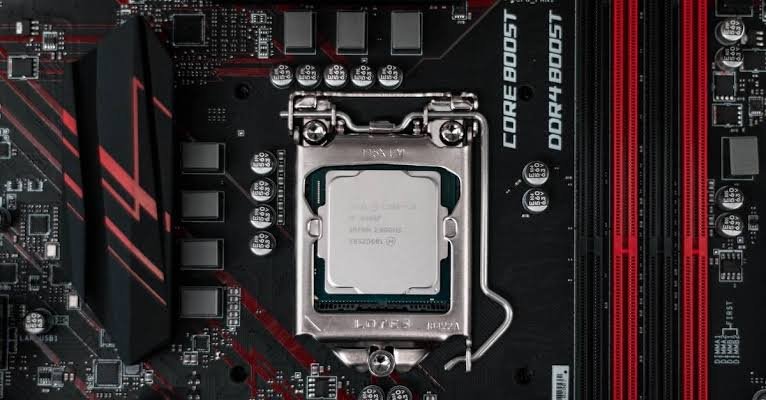
AMD’s Ryzen 7000 and 9000 chips support AVX-512, which is a big part of why they climbed the list. Intel’s newer consumer chips dropped it, yet the Core i9-14900K still ranks S-tier on sheer clock speed and core strength. If you want to read the technical breakdown, the developer’s write-up on why AVX-512 is useful for RPCS3 is excellent.
3. Thread count
More threads help, but with diminishing returns. Eight threads is the comfortable target. Going from four to eight makes a clear difference; going from twelve to sixteen usually does not, because the emulator cannot always keep every core busy. Six good cores beat twelve weak ones for this job.
Fast RAM helps too. DDR5 with low latency smooths things out, since RPCS3 touches shared memory constantly.
Which games actually stress your CPU
Not every PS3 game is demanding. Plenty of titles run at full speed on modest hardware, which is why a B-tier chip goes a long way. The strain comes from a smaller group of games that push the SPUs hard.
Fast, physics-heavy, or graphically busy titles are the ones that separate the tiers. Games like Demon’s Souls, The Last of Us, God of War III, and the Twisted Metal reboot lean heavily on SPU work and expose a weak CPU quickly. On an S-tier chip they hold 60 FPS or more. On a B-tier chip they play well but can dip in the busiest moments. On a C-tier chip you start to feel it.
Simpler 2D games, older ports, and lighter titles are far more forgiving. If your library is mostly those, you can aim lower on the tier list and still have a great time. If you want the heavy hitters at a locked frame rate, target A-tier or S-tier.
Best CPU picks by budget
You do not need the most expensive chip to enjoy PS3 games. Here is what to aim for at each spending level.
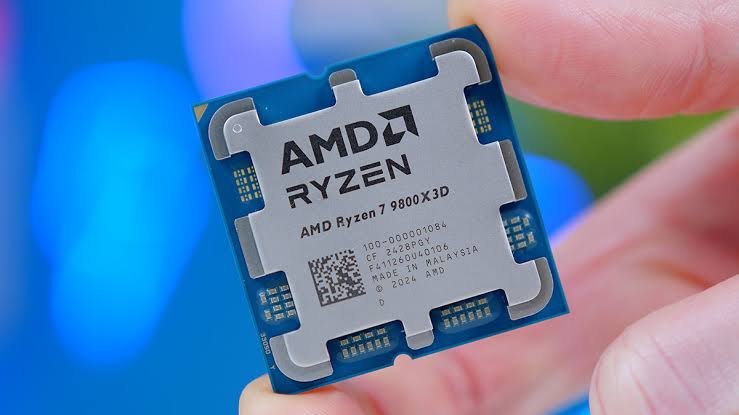
Best overall: Ryzen 7 9800X3D
This is the chip to beat. Its stacked 3D V-Cache keeps data close to the cores, which emulation loves, and it pairs that with high clocks and AVX-512. RPCS3 has shown demanding AAA games running at triple-digit frame rates on it. If budget is not the main worry, this is the pick.
Best value: Ryzen 5 7600 or Core i5-13600K
These land in A-tier and cost a fraction of the flagships. The Ryzen 5 7600 brings AVX-512 and six fast cores, so it punches well above its price for emulation. The Core i5-13600K uses a hybrid design that mixes performance and efficiency cores, with strong single-core speed where it counts. Either one runs the vast majority of PS3 games at full speed, including most of the demanding ones, and both are excellent all-round gaming CPUs on top of that. For a fresh build that will handle far more than just RPCS3, this is the sweet spot.
Best budget: Ryzen 5 5600 or Core i5-10400
If money is tight, a used or discounted Ryzen 5 5600 is a great starting point. It sits comfortably in B-tier and handles most of the library well, with occasional dips in the heaviest scenes. The older Core i5-10400 is a similar story. Neither will run everything flawlessly, but both deliver a genuinely good experience for the price.
The official RPCS3 hardware tiers (2026)
Alongside the community tier list, RPCS3 publishes its own simplified requirements, updated in 2026 into four clear bands. These are a useful sanity check when you are matching parts.
- Minimum: an old dual-core such as a Core 2 Duo, 8 GB RAM. Expect a rough time and game-by-game luck.
- Recommended: Ryzen 5 5600 or Core i5-10400, 16 GB RAM, an SSD, and an RTX 2060 or RX 5600 XT. This is the realistic floor for a good setup.
- Optimal: Ryzen 5 9600X or Core i5-13600K, 16 GB RAM, and an NVMe SSD. Same GPU as above, but a stronger CPU, which tells you where the real bottleneck sits.
- Max Performance: Ryzen 7 9800X3D, 16 GB RAM, and an RTX 4070 or RX 7800 XT for 4K play.
Notice how the GPU recommendation barely changes between the middle tiers while the CPU keeps climbing. That is the whole story of RPCS3 in one table. You can see the full breakdown on the official RPCS3 requirements page.
Settings that squeeze more speed from any CPU
The right settings can lift a mid-range chip a full tier in practice. A few changes do most of the work.
- Use the LLVM Recompiler for both PPU and SPU. It is the default and by far the fastest option.
- Set SPU thread count to one or two fewer than your total threads, so the emulator does not fight your operating system for cores.
- Turn on SPU Loop Detection to cut wasted work in some games.
- Keep RPCS3 updated. Recent builds brought a Cell emulation breakthrough that improved speed across the whole library, not just single titles.
That last point matters more than it sounds. The emulator keeps getting faster through software alone. In early 2026, developers found new patterns in how the Cell’s SPUs were used and rewrote the code paths that handle them, which lifted frame rates across the entire library rather than in one or two games. Titles that stuttered a year ago may run clean today on the exact same CPU, so it is worth revisiting games after each update.
A few other habits help. Install games and the emulator on an SSD, since slow storage causes hitching as data streams in. Close background apps that eat CPU cycles. And if a specific game misbehaves, check the community patch database, which carries per-title fixes and performance tweaks that are not baked into the emulator itself.
Frequently asked questions
Is a good CPU or GPU more important for RPCS3?
The CPU, by a wide margin. It does the heavy work of translating the PS3’s Cell processor instructions in real time. A stronger GPU only helps once you push games above their original resolution.
Do I need AVX-512 for RPCS3?
No, but it helps. AVX-512 gives a real speed boost on chips that have it, like Ryzen 7000 and 9000. Intel’s Core i9-14900K lacks it and still ranks top-tier thanks to sheer clock speed.
Can a Ryzen 5 5600 run PS3 games well?
Yes. It sits in B-tier and handles most of the library smoothly, with occasional dips in the most demanding scenes. For a budget build it is one of the best value picks available.
How many cores do I need for RPCS3?
Eight threads is the comfortable target, which usually means a modern six-core chip. More threads help a little, but fast cores matter far more than a high core count.
Will PS3 emulation ever run on weaker CPUs?
It already runs better each year. Recent RPCS3 updates improved Cell emulation across the whole library through software alone, so older CPUs keep gaining speed without any hardware change.
Conclusion
For smooth PS3 emulation, put your money into the CPU and aim for a modern eight-thread chip with strong single-core speed. A Ryzen 7 9800X3D or Core i9-14900K tops the chart, while a Ryzen 5 7600 or Ryzen 5 5600 covers most players for far less. Anything B-tier or better gives a good experience. Match that to a decent SSD and 16 GB of RAM, keep RPCS3 updated, and the vast majority of the library will run beautifully.
Recommended Article:
svchost.exe High CPU: How to Find the Real Cause and Fix It
Windows Problem Reporting High CPU: How to Fix It Fast
Intel System Usage Report High CPU: What It Is and How to Stop It
IIS Worker Process High CPU: How to Find the Cause and Fix It
Max CPU Boost Clock Override: What It Does and When It Helps