
Factorio, Cities: Skylines II, the Total War series, Microsoft Flight Simulator, World of Warcraft, and GTA Online are some of the heaviest CPU-intensive games you can play today. These titles lean on your processor instead of your graphics card because they’re simulating thousands of moving parts at once, factory logistics, city traffic, unit AI, weather systems, or hundreds of other players, rather than just rendering a pretty scene.
Here’s what that means for your PC, which games hit hardest, and how to tell if your own processor is the bottleneck.
What makes a game CPU-intensive?
A game becomes CPU-intensive when its bottleneck is calculation, not rendering. Your graphics card draws pixels: textures, lighting, shadows, resolution. Your processor handles the logic underneath the picture, things like pathfinding for a thousand NPCs, physics for every falling object, AI decisions for enemy units, and keeping dozens of players in sync during an online match.

Games built around simulation, large-scale strategy, open worlds packed with independent characters, or big multiplayer sessions push this logic layer hard. A racing game or a linear shooter can look stunning and still run light on the CPU, since there isn’t much to calculate beyond what’s on screen. A city sim working out traffic for 100,000 virtual citizens is a different problem, and that work mostly runs on a small number of CPU cores, sometimes even a single one, which is why raw core count matters less here than per-core speed.
The heaviest CPU-intensive games right now
Factorio sits near the top of almost every real-world CPU benchmark. Your GPU barely matters, since there’s little to render beyond simple sprites. What matters is how fast your processor can simulate thousands of machines, conveyor belts, and production chains every single tick. A sprawling late-game factory can bring even a fast modern chip down to a crawl.
Cities: Skylines II asks for real processing muscle even at its official recommended specs, which call for an Intel Core i5-12600K or AMD Ryzen 7 5800X. As a city grows, the game has to work out traffic routes, citizen schedules, utility networks, and public services for tens of thousands of individual sims at once, and that load climbs steadily as your map fills in.
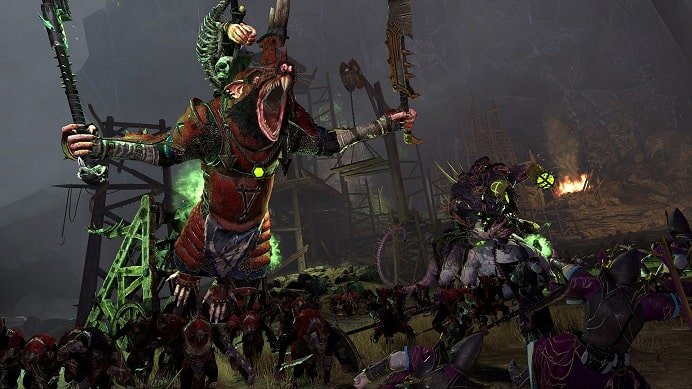
The Total War series, especially Total War: Warhammer III and Total War: Three Kingdoms, runs each unit’s AI independently during large battles. A skirmish with several thousand soldiers on screen means the CPU is tracking formation logic, morale, and combat outcomes for every one of them, a very different workload from a game that’s just rendering a big battlefield.
Microsoft Flight Simulator recreates real-world weather, air traffic, and terrain detail across the entire planet. Even with a strong GPU, the simulation layer, live weather data, aircraft systems modeling, and background air traffic, leans heavily on the processor, especially when flying near a detailed city.
World of Warcraft doesn’t look like a demanding game, but it still leans on single-core performance more than almost anything else in its genre. Large raids, crowded capital cities, and big world events can bottleneck even a fast, modern CPU, since the game has to track combat calculations, addons, and dozens of nearby players in real time.
Grand Theft Auto V, and GTA Online in particular, still catches people off guard. Years after release, the online mode adds physics calculations, player synchronization, and background NPC behavior on top of the base game, and that extra layer is almost entirely CPU work rather than GPU work.
Strategy games built around large numbers of independent units or AI-controlled empires, including the Civilization series and Stellaris, follow the same pattern. Every additional civilization, unit, or planet the game has to think through each turn adds more calculation, and that scales with how deep into a match you are rather than with your graphics settings.
Monster Hunter Wilds has drawn attention for running unusually CPU-heavy relative to its visuals, especially in areas with lots of wildlife and environmental effects active at once. Its recommended specs ask for more processor headroom than the game’s graphics alone would suggest, and even mid-range GPUs can sit well below full usage while the frame rate still struggles.
Do these games still need a strong graphics card too?
Some do and some really don’t. Factorio and most classic strategy titles run fine on a modest GPU, since there’s almost nothing to render beyond flat sprites and simple, low-poly graphics.
Open-world and simulation-heavy games are a different story. Cities: Skylines II, Flight Simulator, and GTA Online all pair heavy CPU demands with genuinely demanding visuals: detailed terrain, weather, lighting, and long draw distances. You still want a solid graphics card if you plan to play at high settings or a higher resolution. The CPU workload and the GPU workload run side by side in these titles rather than one replacing the other, which is exactly why they show up on “most demanding” lists for both components at once.
How to tell if a game is CPU-bound on your PC
You don’t need special software to check this. Windows’ Task Manager’s Performance tab already shows live CPU and GPU usage side by side, and it’s the fastest way to see which one is actually holding your frame rate back.
Open the game, alt-tab out, and check both graphs while the game is running.
- If your GPU usage sits well under 90 to 95 percent while your frame rate is low, your CPU is the limiting factor, not your graphics card.
- If your GPU is pinned near 100 percent and your CPU has headroom to spare, the graphics card is your bottleneck instead.
- If both are maxed out, you’re likely balanced for your current settings, and the fix depends on which one you’re willing to upgrade first.
Lowering resolution without a frame rate increase is a strong sign of a CPU bottleneck, since resolution is almost entirely a GPU workload. If dropping from 1440p to 1080p barely changes your numbers, your processor is what’s running out of headroom, not your graphics card.
Which CPU specs actually matter for these games
Two things matter far more than raw core count for this category of game: single-thread speed and cache size.
Most game engines still lean on one or two cores for their core simulation loop, no matter how many cores your CPU has in total. A processor with a higher boost clock and strong per-core performance will usually beat a chip with more cores but a lower clock speed in these titles, even if the higher-core chip wins in benchmarks built around video editing or rendering.
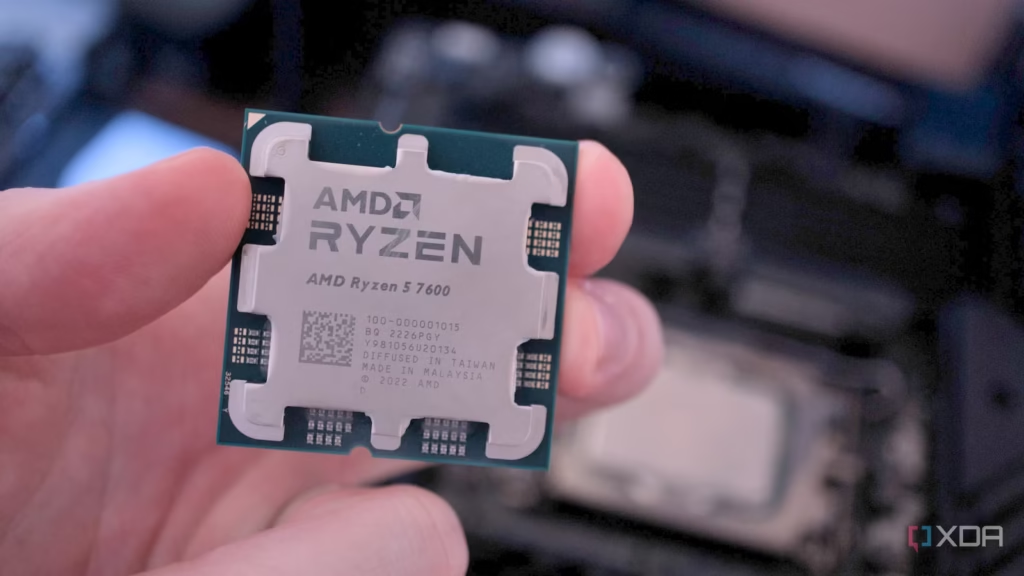
Cache size matters just as much, sometimes more. AMD’s 3D V-Cache technology stacks extra memory directly onto the processor die, which keeps more game data close to the cores instead of forcing constant trips out to system RAM. That extra cache is a big part of why AMD’s Ryzen X3D processors consistently top gaming benchmarks in exactly the kind of simulation-heavy, CPU-bound titles covered here, even against chips with more cores or higher clock speeds on paper.
If you’re shopping for a new processor specifically to handle these games, prioritize a recent-generation chip with a high boost clock and, budget allowing, one of AMD’s X3D models or Intel’s newest generation with strong single-core benchmarks. Sixteen or more cores helps far less here than it does for video editing or 3D rendering work.
Frequently asked questions
Do background apps make CPU-intensive games worse?
Yes. Browser tabs, chat overlays, and recording software all compete for the same cores your game needs, so closing them before launching a CPU-heavy game can noticeably steady your frame rate.
Why does my new CPU still struggle with an old game like GTA V?
GTA Online’s background simulation, player syncing, and NPC behavior were built years ago around fewer, faster cores, so a chip with strong single-core speed often outperforms a newer one with more cores but a lower clock.
Is more CPU cores always better for gaming?
No. Most game engines still rely heavily on one or two cores for their main logic loop, so clock speed and cache size usually matter more than total core count for these titles.
Will upgrading my RAM help with CPU-intensive games?
It can help a little, since faster RAM reduces the time the CPU spends waiting for data, but it won’t fix a true CPU bottleneck the way a faster processor or one with more cache will.
Are simulation games always more CPU-intensive than shooters?
Generally yes, since simulations track large numbers of independent units or systems at once, while most shooters focus their workload on rendering a smaller, more linear scene.
Conclusion
Factorio, Cities: Skylines II, the Total War games, Microsoft Flight Simulator, World of Warcraft, GTA Online, and Civilization all push processors harder than most modern shooters or racing games, because they’re calculating thousands of moving parts rather than just rendering a scene. Check Task Manager to confirm whether your CPU or GPU is holding you back, then prioritize single-core speed and cache size, not just core count, when you upgrade.
Recommended Articles:
CPU Core Unpark: What It Does and How to Turn It Off in Windows
MS Office Click-to-Run High CPU: Why It Happens and How to Fix It
Windows Explorer High CPU: Why It Happens and How to Fix It
How to Find CPU Usage in Linux: 6 Commands That Actually Work
CPU Scheduling Calculator: How to Work Out Waiting, Turnaround, and Response Time by Hand