
Counter-Strike 2 is mainly CPU intensive. At the settings competitive players actually use, 1080p or lower with most options on low, your processor sets the frame rate ceiling and the graphics card spends much of its time waiting. The GPU only takes over as the limit when you raise the resolution, turn shadows and anti-aliasing up, or run an old card next to a fast chip. Which part matters for you comes down to the frame rate you are chasing.
Why CS2 leans so hard on the CPU
CS2 asks your processor to simulate a fast, precise game hundreds of times per second, and most of that work lands on just a few threads.
Every frame, the CPU tracks ten players and their animations, works out where each bullet went, updates the volumetric smoke filling a doorway, and lines all of it up with the server’s sub-tick timing. Sub-tick means the server records the exact instant you fired, moved or threw a grenade instead of rounding it to the nearest server update. That is good for the gameplay. It is also more work for the processor.
The frame rate targets make it harder still. A single-player game running at 60 FPS asks for 60 simulation passes a second. A CS2 player on a 240 Hz monitor wants four times that, and the drawing work in each of those frames is light compared to the thinking behind it.
Benchmarks show the effect clearly. Keep everything in a 1080p test system identical, RTX 4090 included, and change only the processor: a Ryzen 7 9800X3D averages around 668 FPS where the older 7800X3D manages about 592. The 1% lows move too, 362 against 318. Same card, same settings, 13 percent more frames from a CPU swap alone.
Cache explains much of that. Both chips carry AMD’s stacked 3D V-Cache, and CS2’s simulation data fits inside that large L3 pool, so the processor waits on system memory far less often. It is why X3D chips sit at the top of nearly every CS2 chart.
Valve keeps trimming the load as well. In April 2026 the game moved to a new animation system called Animgraph 2, built to cut the CPU and network cost of player animations.
What the GPU actually does in CS2
Your graphics card draws the picture, and in CS2 that job is usually lighter than the simulation feeding it.
Source 2 did raise the bar over CS:GO. Smoke grenades are real 3D volumes that react to light, bullets and explosions, and the lighting model is more advanced. Even so, the game stays cheap to render. Valve’s Steam store listing for Counter-Strike 2 asks for four CPU threads, 8 GB of RAM and any DirectX 11 card with 1 GB of memory and Shader Model 5.0 support, and it lists no recommended tier at all.
Your graphics card becomes the limiting part in three cases:
- Higher resolutions. Moving from 1080p to 1440p or 4K is close to pure graphics cost. The CPU workload barely changes.
- Expensive settings. Shadow quality and MSAA anti-aliasing take more frames than anything else in the video menu. Plenty of competitive players leave anti-aliasing off for that reason.
- A mismatched card. A modern eight-core chip next to a GTX 1060 will be GPU bound at almost any setting.
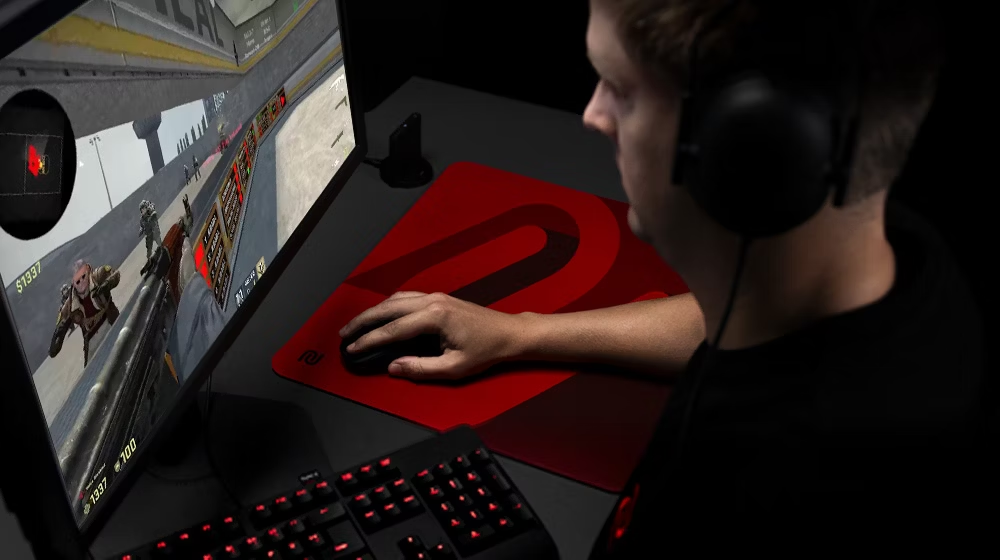
On low settings at 1080p or 4:3 stretched, which is what most competitive players run, your graphics card is rarely what holds you back.
Why CS2 runs slower than CS:GO on the same PC
Frame rates dropped for most people when the game moved from CS:GO to CS2, and the extra cost is split across both parts.
On the CPU side, sub-tick timing, richer animation and smoke that behaves like a fluid all add simulation work to every frame. On the GPU side, physically based rendering and the unified lighting system mean each frame takes longer to draw than a CS:GO frame did.
There is an upside. CS2 spreads its work over more threads than CS:GO managed. CS:GO leaned very heavily on a single core, so a modern six or eight core chip has more of itself available to CS2. It is still one or two threads doing the heaviest lifting, which is why single-thread speed and cache keep deciding the result.
How to tell which one is limiting your FPS
Read your GPU usage during a live round. That one number answers the question in under a minute.
- Turn on an overlay. The NVIDIA app can show frame rate alongside GPU and CPU utilization on screen, and AMD’s Adrenalin software has the same in its metrics overlay.
- Play a real round. The main menu and an empty practice map are both far lighter than a 5v5 with utility flying around, so test where it counts.
- Read GPU utilization. Sitting at 95 to 99 percent means the graphics card is the limit. Sitting around 50 to 70 percent while your frame rate stays flat means the processor is.
- Confirm with resolution. Drop to 1280×960 on low for one round. If frames jump a long way, you were GPU bound. If they barely move, the CPU was already the ceiling.
One thing trips people up here: do not judge by total CPU usage. Task Manager can show 35 percent on an eight-core chip while the game is completely CPU limited, because the limit is one or two heavy threads running flat out, not all sixteen. A processor can be maxed out where it matters and still look half idle.
If your chip mixes performance and efficiency cores, check the CPU Cores Usage Preference setting Valve added to CS2. Letting the heavy threads land on efficiency cores costs real frames.
What you need for 144, 240 and 360 FPS
Pick your monitor’s refresh rate first, then buy the parts that reach it. Aim for an average comfortably above that refresh rate, because the 1% lows are what you feel in a fight.
| Target at 1080p, low settings | CPU to aim for | GPU to aim for |
|---|---|---|
| 144 FPS | 6-core chip, Ryzen 5 5600 or Core i5-12400 class | GTX 1660 Super or RX 6600 class |
| 240 FPS | Ryzen 5 7600 or Core i5-13600K class | RTX 3060 Ti or RX 6700 XT class |
| 360 FPS and up | Ryzen 7 7800X3D or 9800X3D class | RTX 4070 or RX 7800 XT class |
Notice how the CPU column climbs faster than the GPU column. Going from 144 to 360 FPS roughly doubles what you need from the processor, while the graphics card requirement grows more gently, because you are rendering the same simple frames, just more of them.
At 1440p and 4K the balance shifts. Push resolution and quality up and the graphics card takes over as the limit, so a stronger GPU starts paying off in a way it never did at 1080p low.
Does RAM matter in CS2?
More than it does in most games. Because the game is CPU bound and sensitive to memory speed, slow or badly configured RAM shows up directly in your frame rate.
Two things are worth getting right. First, switch on your memory profile in BIOS, XMP on Intel or EXPO on AMD, so the kit runs at its rated speed instead of a slow default. Plenty of people lose frames for years without ever checking. Second, treat 16 GB as the floor, and go to 32 GB if you keep a browser, Discord and a stream running while you play.
So which should you upgrade first?
If you play at 1080p or lower on low settings, upgrade the CPU. That is where your ceiling sits, and a faster chip with a big cache lifts the average frame rate and the 1% lows together.
If you play at 1440p or 4K, or you keep the visuals high because you like how the game looks, upgrade the graphics card instead.
If you are not sure, run the two checks above before you spend anything. A GPU sitting at 60 percent during a firefight is telling you a new card will change nothing. And if your memory profile is switched off, or the game is putting its heavy threads on efficiency cores, some of those frames are waiting for you for free.
Frequently asked questions
Does a better GPU increase FPS in CS2?
Only if the graphics card is your limit. At 1080p on low settings most modern cards already sit well below full load, so frames stay flat after an upgrade. Check GPU usage during a round first: below 70 percent, a new card buys you very little.
Is 8 cores enough for CS2?
Six cores are enough and eight is comfortable. CS2 puts most of its load on a couple of heavy threads, so clock speed, single-thread performance and cache size decide your frame rate far more than core count does.
Why is my CPU usage low but my FPS still bad?
Because the limit is one busy thread, not the whole chip. Total usage can read 35 percent while the thread running the game simulation is pinned at 100 percent. Low overall CPU usage does not rule out a CPU bottleneck.
Do X3D processors really help in CS2?
Yes. The game’s simulation data fits inside the large L3 cache on AMD’s X3D chips, so the processor stalls on system memory less often. That shows up as higher averages and noticeably better 1% lows.
Will lowering graphics settings fix low FPS in CS2?
Only if you are GPU limited. Dropping shadows and anti-aliasing helps a card that is maxed out. If the processor is your ceiling, lowering visual settings changes almost nothing, because the simulation work stays the same.
Conclusion
CS2 is a CPU-first game for anyone chasing high frame rates at 1080p or below, and a GPU-first game once you raise the resolution or the settings. Check GPU usage mid-round before you buy anything: 95 percent and up points at the graphics card, 60 percent and below points at the processor. Get that right and you should see a steady average well above your refresh rate, with 1% lows that hold up in a fight.
Recommended Articles:
100% CPU Usage While Gaming: What It Means and How to Fix It
Plex “Not Enough CPU for Conversion of This Item”: Causes and Fixes
Windows Problem Reporting High CPU: How to Fix It Fast
svchost.exe High CPU: How to Find the Real Cause and Fix It
How to Increase CPU Memory (What It Really Means and What Actually Works)