

Max CPU Boost Clock Override: What It Does and When It Helps

Max CPU Boost Clock Override raises the highest frequency your Ryzen processor is allowed to reach. You set it in 25 MHz steps, up to +200 MHz above the rated boost clock. The important part is what it does not do: it lifts a ceiling, it does not add…

IIS Worker Process High CPU: How to Find the Cause and Fix It
When an IIS worker process (w3wp.exe) pegs the CPU, the fix is almost always in your application code, not in IIS itself. Recycling the pool buys you a few minutes and the CPU climbs right back. The real work is matching the busiest w3wp.exe process to…

Intel System Usage Report High CPU: What It Is and How to Stop It
Intel System Usage Report is a telemetry process that sends performance data about your PC to Intel. It is not part of Windows and it is not part of your CPU drivers, so if it is eating your CPU, you can remove it and nothing on your computer will break.…
Identityservicesd High CPU on Mac: Why It Happens and How to Fix It
When identityservicesd shows high CPU in Activity Monitor, your Mac’s Apple Account service is stuck in a loop, usually retrying a sign-in or a sync job for iMessage, FaceTime, or Contacts that keeps failing. The fix, in most cases: force quit the…

Windows Problem Reporting High CPU: How to Fix It Fast
Windows Problem Reporting is using a lot of CPU because it is stuck trying to report the same crash over and over. The quick fix is to find the app that keeps crashing, restart the Windows Error Reporting Service, then repair Windows system files. Do…

svchost.exe High CPU: How to Find the Real Cause and Fix It
If your fan is roaring and Task Manager blames svchost.exe, here is the short version: svchost.exe is not the problem itself. It is a container that runs Windows services in the background, and one of those services is doing the heavy work. Fix the busy…

How to Increase CPU Memory (What It Really Means and What Actually Works)
Here’s the honest answer up front: you can’t increase the memory that’s built into a CPU. That memory, called cache, is baked into the chip and can’t be changed. But that’s almost never what people are really asking. Most of…

Endpoint Protection Service Using High CPU? Here’s How to Find the Cause and Fix It
When Endpoint Protection Service starts eating your CPU, the cause is almost always a scan that is running or stuck, real-time scanning chewing through busy folders, or two security tools fighting each other. You fix it by finding the real product hiding…

100% CPU Usage While Gaming: What It Means and How to Fix It
100% CPU usage while gaming means the game, plus everything else running on your PC, is asking for more processing power than your chip can supply at that moment. The number itself won’t hurt anything. Processors are built to run flat out, and they…
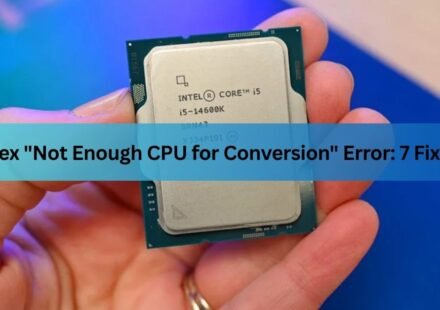
Plex “Not Enough CPU for Conversion of This Item”: Causes and Fixes
This error means your Plex server has decided it can’t send the file to your device as-is, and it also can’t convert it in real time. One of those two judgments is usually wrong, or at least fixable. In most cases the cure is one of three…