





















































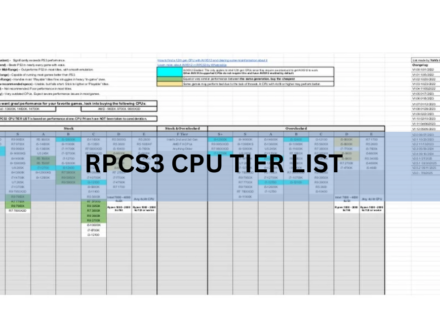
RPCS3 CPU Tier List: Which Processor You Need for Smooth PS3 Emulation

The best CPUs for RPCS3 are modern chips with eight or more threads and strong single-core speed, like the Ryzen 7 9800X3D, Ryzen 9 7950X, or Core i9-14900K. These sit at the top S-tier and run almost every PS3 game at full speed. If you own a recent…
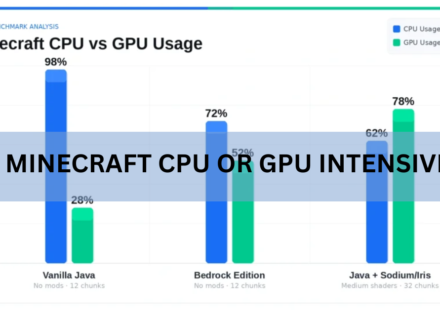
Is Minecraft CPU or GPU Intensive? Here’s What Actually Runs the Game
Minecraft is mostly CPU intensive. Your processor does the heavy lifting: building the world as you move, running mob behavior, handling redstone, and keeping the game clock ticking. The graphics card only becomes the bottleneck once you add shaders,…
How to Lower ScummVM CPU Usage: Settings That Actually Help
If ScummVM is spinning up your fans, draining a laptop battery, or stuttering on a small device, the fix is almost always a handful of settings. Switch to the OpenGL graphics mode, drop any heavy scaler, set the AdLib emulator to MAME, and play with…

cups-browsed Using High CPU on Linux? Here’s Why and How to Fix It
If you opened a system monitor and found cups-browsed pinning a CPU core, sometimes showing 100%, 200%, or even 300%, the cause is almost always network printer discovery stuck in a loop. The service keeps scanning and re-scanning printers on your…

CPU Load Line Calibration: What It Does and What to Set It To
CPU load line calibration (LLC) is a motherboard setting that decides how much your CPU voltage is allowed to sag when the chip jumps from idle to full load. Set it higher and the voltage stays flatter under load. Set it lower and the voltage drops more,…

Max CPU Boost Clock Override: What It Does and When It Helps
Max CPU Boost Clock Override raises the highest frequency your Ryzen processor is allowed to reach. You set it in 25 MHz steps, up to +200 MHz above the rated boost clock. The important part is what it does not do: it lifts a ceiling, it does not add…

IIS Worker Process High CPU: How to Find the Cause and Fix It
When an IIS worker process (w3wp.exe) pegs the CPU, the fix is almost always in your application code, not in IIS itself. Recycling the pool buys you a few minutes and the CPU climbs right back. The real work is matching the busiest w3wp.exe process to…

Intel System Usage Report High CPU: What It Is and How to Stop It
Intel System Usage Report is a telemetry process that sends performance data about your PC to Intel. It is not part of Windows and it is not part of your CPU drivers, so if it is eating your CPU, you can remove it and nothing on your computer will break.…
Identityservicesd High CPU on Mac: Why It Happens and How to Fix It
When identityservicesd shows high CPU in Activity Monitor, your Mac’s Apple Account service is stuck in a loop, usually retrying a sign-in or a sync job for iMessage, FaceTime, or Contacts that keeps failing. The fix, in most cases: force quit the…

Windows Problem Reporting High CPU: How to Fix It Fast
Windows Problem Reporting is using a lot of CPU because it is stuck trying to report the same crash over and over. The quick fix is to find the app that keeps crashing, restart the Windows Error Reporting Service, then repair Windows system files. Do…